

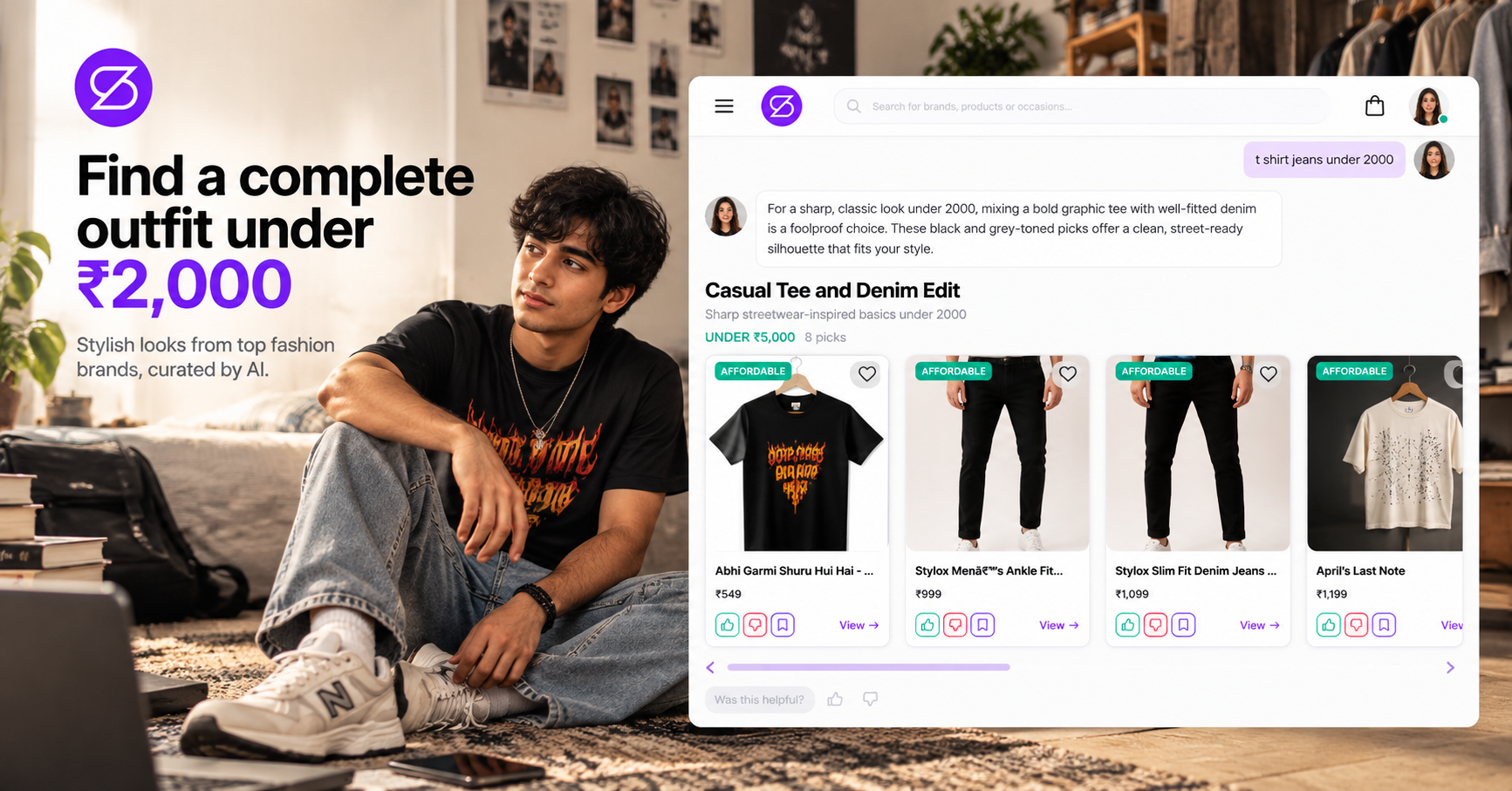
How to Find a Complete Outfit Under ₹2,000 on StyleBuddy

- AI Styling
- Outfit Planning
How Can I Find a Complete Outfit Under ₹2,000 on StyleBuddy?
Quick answer: To find a complete outfit under ₹2,000 on StyleBuddy, open Shop All, set the price filter to ₹0–₹2,000 and pick Casual Wear, or tell Maya, the StyleBuddy AI stylist, "Casual outfit under ₹2,000." Add up the top, bottom and shoes, save options to compare, then buy each piece on the brand's site.
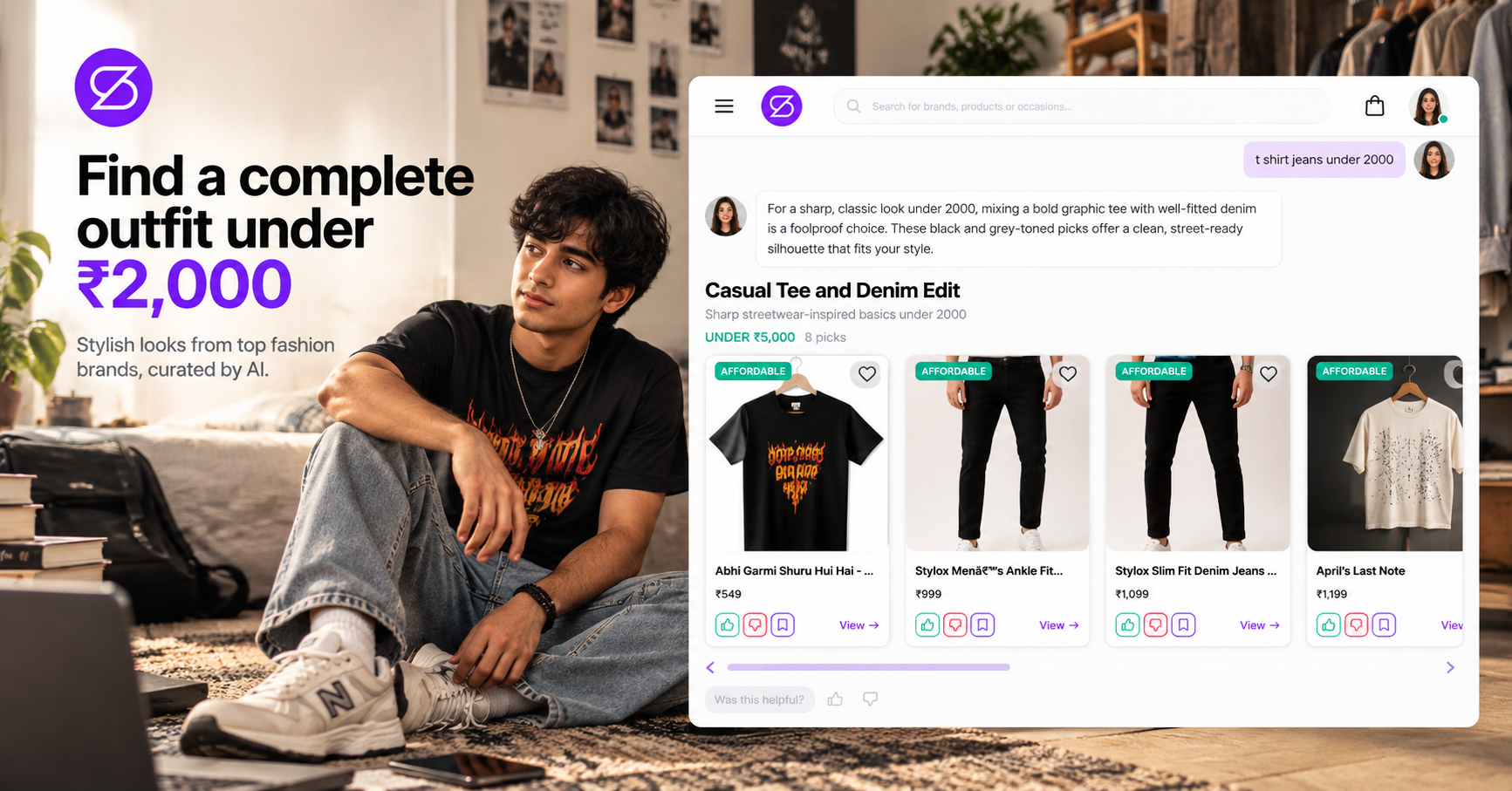
A good outfit doesn't need a big budget. It needs the right pieces, and pieces that work together.
The hard part is finding them. Most shopping apps show you thousands of products at every price, and by the time you have a top you like, the budget for shoes is gone.
StyleBuddy brings clothes from many fashion brands into one place, with a price filter and an AI stylist who can work to your budget. Here are two ways to build a full look for ₹2,000 or less.
How Do I Filter StyleBuddy by Price?
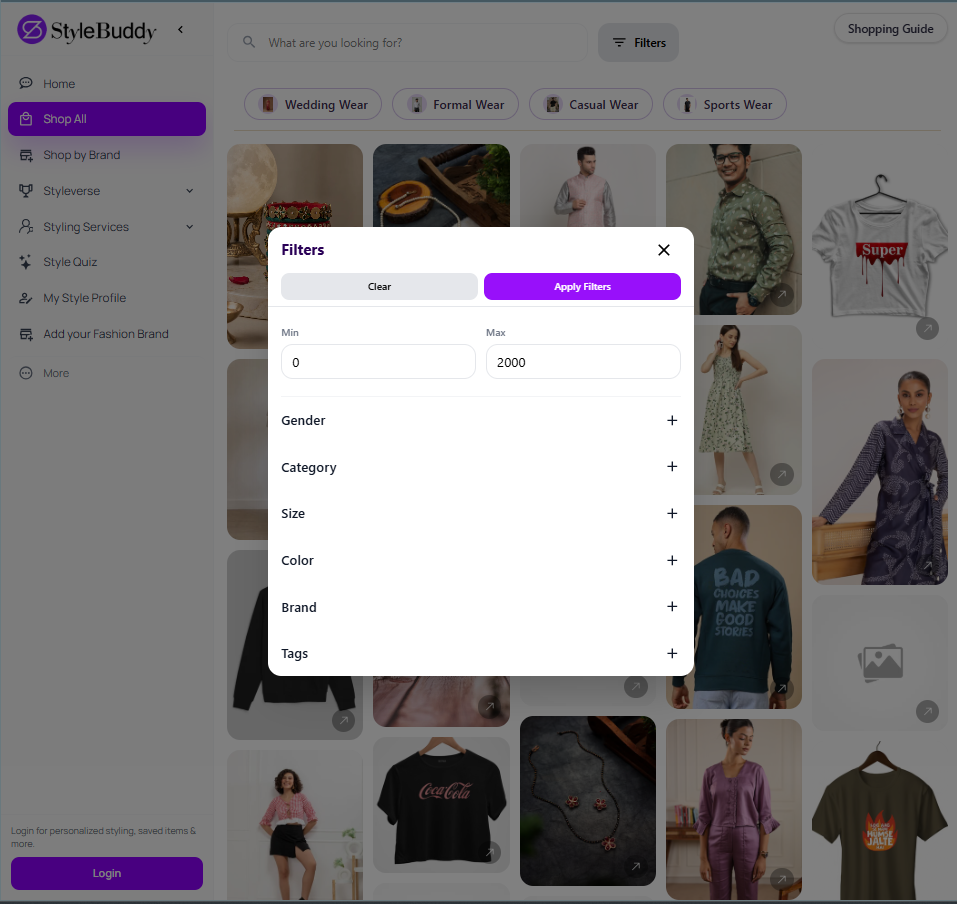
The fastest way to stay on budget is the price filter in Shop All (stylebuddy.in/shop-all), which shows products from every brand on StyleBuddy.
Step 1: Split your budget before you shop
A price filter of ₹2,000 shows every item that costs up to ₹2,000 on its own, not outfits that add up to ₹2,000. So decide the split first. For example, a casual look could be roughly ₹600 for the top, ₹1,000 for the bottom and the rest for footwear or an accessory. Adjust it to what matters most to you.
Step 2: Set the filter for each piece
Tap Filters and enter a Min and Max price for the piece you are looking for. Then narrow it further:
- Gender and Size, so you only see what you can wear
- Category, to look for tops, bottoms or footwear one at a time
- Colour, so the pieces go together
- Brand or Tags, if you have a favourite
Tap Apply Filters. To switch to the next piece, change the category and price and apply again.
Step 3: Start with Casual Wear
The Casual Wear button at the top of Shop All is a good starting point for everyday budget looks. Formal Wear, Wedding Wear and Sports Wear work the same way.
Step 4: Save, compare and add it up
Save the options you like. They go to Saved Items in the menu, so you can come back to them and check that the total stays under ₹2,000.
Can StyleBuddy's AI Stylist Find Outfits Within My Budget?
Yes. Maya, StyleBuddy's AI stylist, groups her suggestions by price, and you can tell her your budget in plain words.
Step 1: Set up Maya for shopping
Open "Chat with Maya" on stylebuddy.in or in the StyleBuddy app. Tap + in the chat bar to find Style preferences and Chat preferences:
- In Style preferences, set your gender, body type, skin tone and favourite colours.
- In Chat preferences, choose Show me products so Maya replies with more products and less text.
Step 2: Say your budget
Type something like "Casual outfit under ₹2,000" or "College look, total budget ₹2,000". If your request is open-ended, Maya may ask a quick follow-up question, such as the occasion.
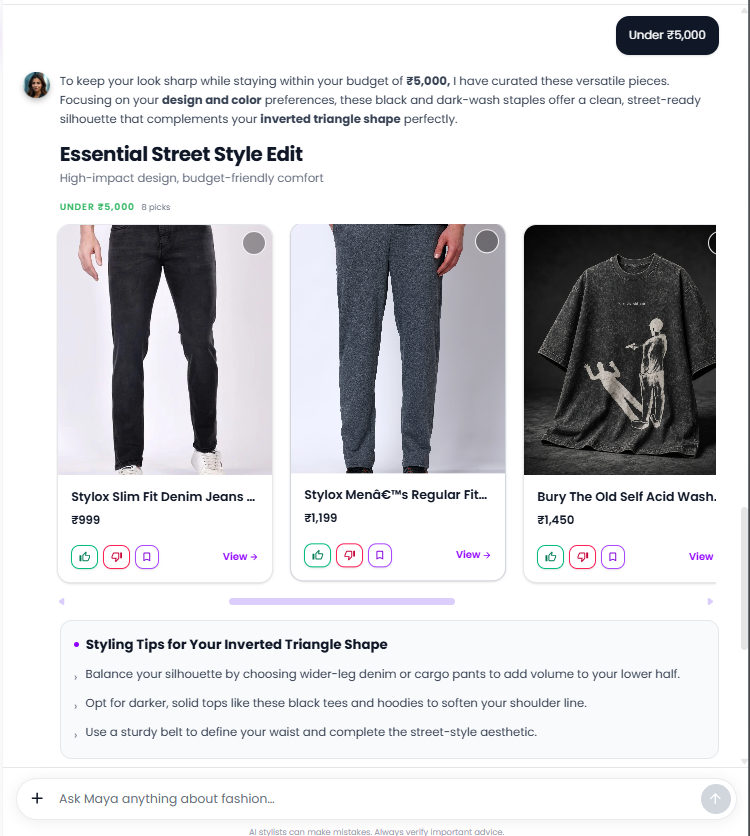
Always mention the number. If you only tap "Find me an outfit", Maya picks across wider price bands. In one test she showed an "Under ₹5,000" row and a "₹5,000–₹10,000" row.
Step 3: Look for the Affordable tag
Maya's product cards show the price on each one, and lower-priced picks carry an Affordable tag. In the same test, the "Under ₹5,000" row included a short-sleeve tee at ₹450 and slim-fit denim jeans at ₹1,099. That is ₹1,549 for a top and bottom, leaving ₹451 for the rest of the look. (Prices were seen on 15 October 2026 and can change.)
Step 4: Ask follow-up questions
Tap the circle on the top-right of a product card to select it, then ask Maya about it, for example "Suggest cheaper jeans that go with this tee" or "What else goes with this under ₹500?"
How Do I Add Shoes and Accessories Without Going Over Budget?
Shoes are where budgets usually break, so give them their own search.
- Search Shop All. Type "footwear" or a brand name into the search bar to see the brands available, then set the price filter to whatever is left in your budget.
- Ask Maya. Select the top or dress you picked and ask, "Suggest shoes for this under ₹500."
- Use what you own. Tap + > Upload photo in Maya's chat, add a photo of your new outfit or of shoes you already have, and ask what goes with them. Reusing shoes or a bag you own is the easiest way to keep the total under ₹2,000.
Where Do I Pay for the Outfit?
On each brand's own website. StyleBuddy doesn't sell clothes itself; it brings brands together in one place. Tap a product and StyleBuddy opens it on the brand's site, where you choose your size and pay.
If your top and jeans come from different brands, you check out on each brand's site separately. Before you pay, check each brand's delivery charges and return policy, since a shipping fee can push a ₹1,900 outfit over ₹2,000.
How Can I Make a Budget Outfit Look Better?
- Start with neutral basics. A plain tee, well-fitting jeans and white or black shoes go with almost everything, so each piece earns more wears.
- Pick colours that suit you. Set your skin tone in Maya's style preferences, so the cheaper pieces still look right on you.
- Mix one statement piece with basics. A printed shirt or bold accessory makes a simple outfit look styled.
- Try it on first. In the StyleBuddy app you can try looks on yourself with virtual try-on before you go to the brand's site, which helps you avoid buying something you will return.
Frequently Asked Questions
Can I find a full outfit under ₹2,000 on StyleBuddy?
Yes, StyleBuddy lists many casual pieces well under ₹2,000. On 15 October 2026, Maya suggested a short-sleeve tee at ₹450 and slim-fit jeans at ₹1,099, a total of ₹1,549. Use the Shop All price filter or tell Maya your budget, then add shoes with what is left.
How do I filter by price on StyleBuddy?
On StyleBuddy, open Shop All at stylebuddy.in/shop-all and tap Filters. Enter a minimum and maximum price, add gender, category, size, colour, brand or tag filters if you want, and tap Apply Filters. The price filter applies to each item, so split your total budget across pieces.
Can StyleBuddy's AI stylist shop within my budget?
Yes, StyleBuddy's AI stylist Maya groups her suggestions by price and tags lower-priced picks as Affordable. Type your budget in the chat, for example "Casual outfit under ₹2,000". Maya may ask a quick follow-up question, then shows products you can open on each brand's website.
Where do I pay for clothes I find on StyleBuddy?
StyleBuddy does not sell clothes itself, so you pay on the brand's own website. Tap a product in Maya's chat, Shop All or Shop by Brand and StyleBuddy opens it on the brand's site. If your outfit comes from several brands, you check out with each brand separately.
How can I find cheap shoes to match my outfit on StyleBuddy?
On StyleBuddy, type "footwear" or a brand name into the Shop All search bar and set the price filter to what is left in your budget. You can also select your outfit in Maya's chat and ask, "Suggest shoes for this under ₹500," or upload a photo and ask for matching footwear.
Build Your ₹2,000 Outfit Now
Open Shop All and set your price filter, or chat with Maya and tell her your budget. Want to see the look on you first? Get the StyleBuddy app and try it on.
Read next: How to Find an Outfit for Any Occasion on StyleBuddy