

How to Find an Outfit for Any Occasion on StyleBuddy

- AI Fashion & Technology
- Style Tips
- Fashion Brands
- General Info
- AI Styling
How Do I Find an Outfit for Any Occasion on StyleBuddy?
Quick answer: To find an outfit for any occasion on StyleBuddy, tap "Find me an outfit" and tell Maya, the StyleBuddy AI stylist, the occasion and budget, or open Shop All and pick Wedding, Formal, Casual or Sports Wear. Narrow by price, size, colour and brand, then buy on the brand's own website.
A friend's sangeet on Saturday, a client meeting on Monday, a weekend brunch in between. Each one needs a different outfit, and scrolling five shopping apps to find them takes hours.
StyleBuddy puts clothes from many fashion brands in one place and adds an AI stylist on top. You can ask for an outfit in plain words, or browse by occasion with filters. When you find the piece you like, StyleBuddy takes you straight to the brand's website to buy it.
There are two ways to do it. Here is how each one works.
How Do I Ask StyleBuddy's AI Stylist to Find Me an Outfit?
The quickest way is to chat with Maya, StyleBuddy's AI stylist. She is on stylebuddy.in and in the StyleBuddy app, and you can choose the language you chat in.
Step 1: Open Maya and set your style profile
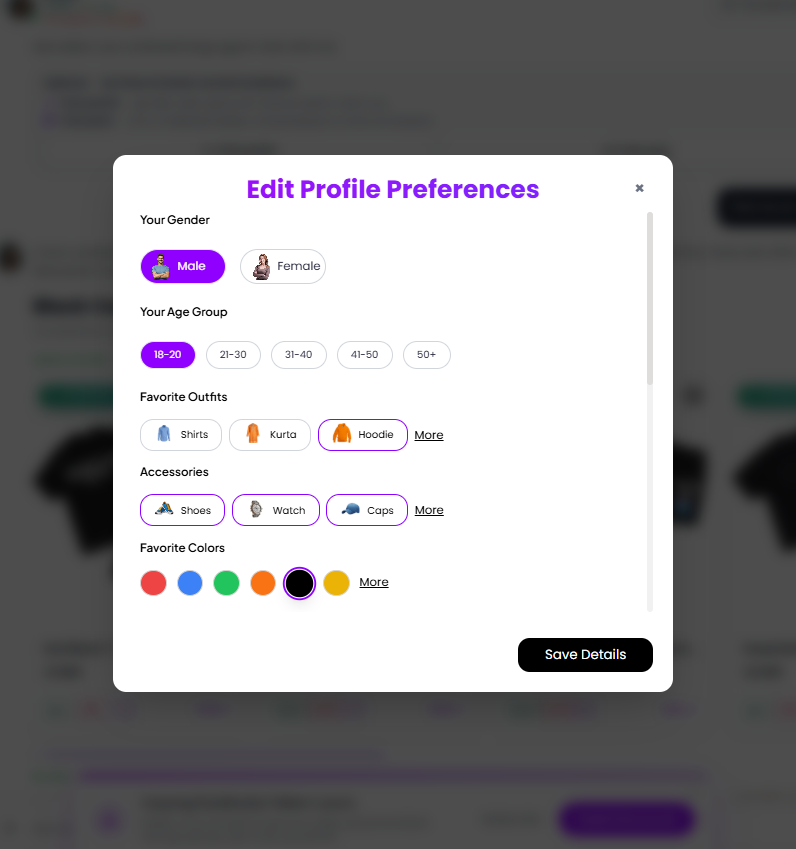
Open "Chat with Maya" from the StyleBuddy homepage. Before you ask anything, tap Style profile (also under + > Style preferences in the chat bar). It is optional, but it is what makes the suggestions fit you. You can set:
- your gender and age group
- the outfits you like wearing, such as shirts, kurtas or hoodies
- the accessories you like, such as shoes, watches or caps
- your favourite colours
- your body type, picked from a set of silhouettes (for example rectangle, triangle or apple)
- your skin tone, so Maya can suggest colours that suit you
Tap Save Details and Maya uses these for every suggestion.
Step 2: Choose how Maya should reply
Tap Chat prefs to set the kind of answers you want:
- Quick replies (short and to the point) or Tell me more (detailed advice)
- Show me products (more images, less text) or Let's talk it out (more conversation)
- Gen Z Mode on or off, for a more casual tone
These settings last for the conversation, and Maya follows them in every reply. If you want outfits to shop, pick "Show me products".
Step 3: Tap "Find me an outfit" or name your occasion
Tap Find me an outfit and Maya suggests a look based on your profile. Or type the occasion in your own words, for example "Outfit for a friend's mehendi under ₹3,000" or "Smart casual look for a first day at work".
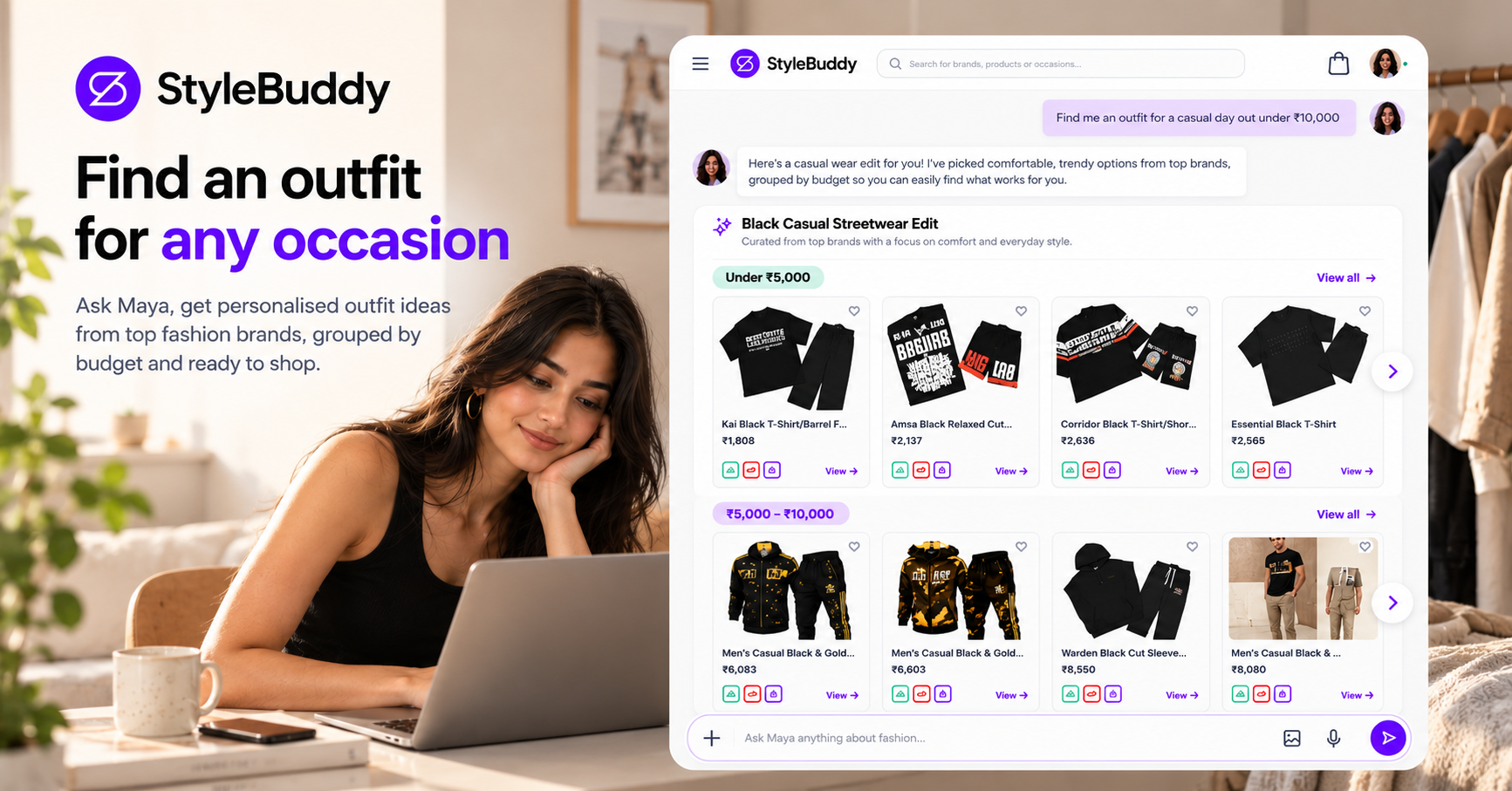
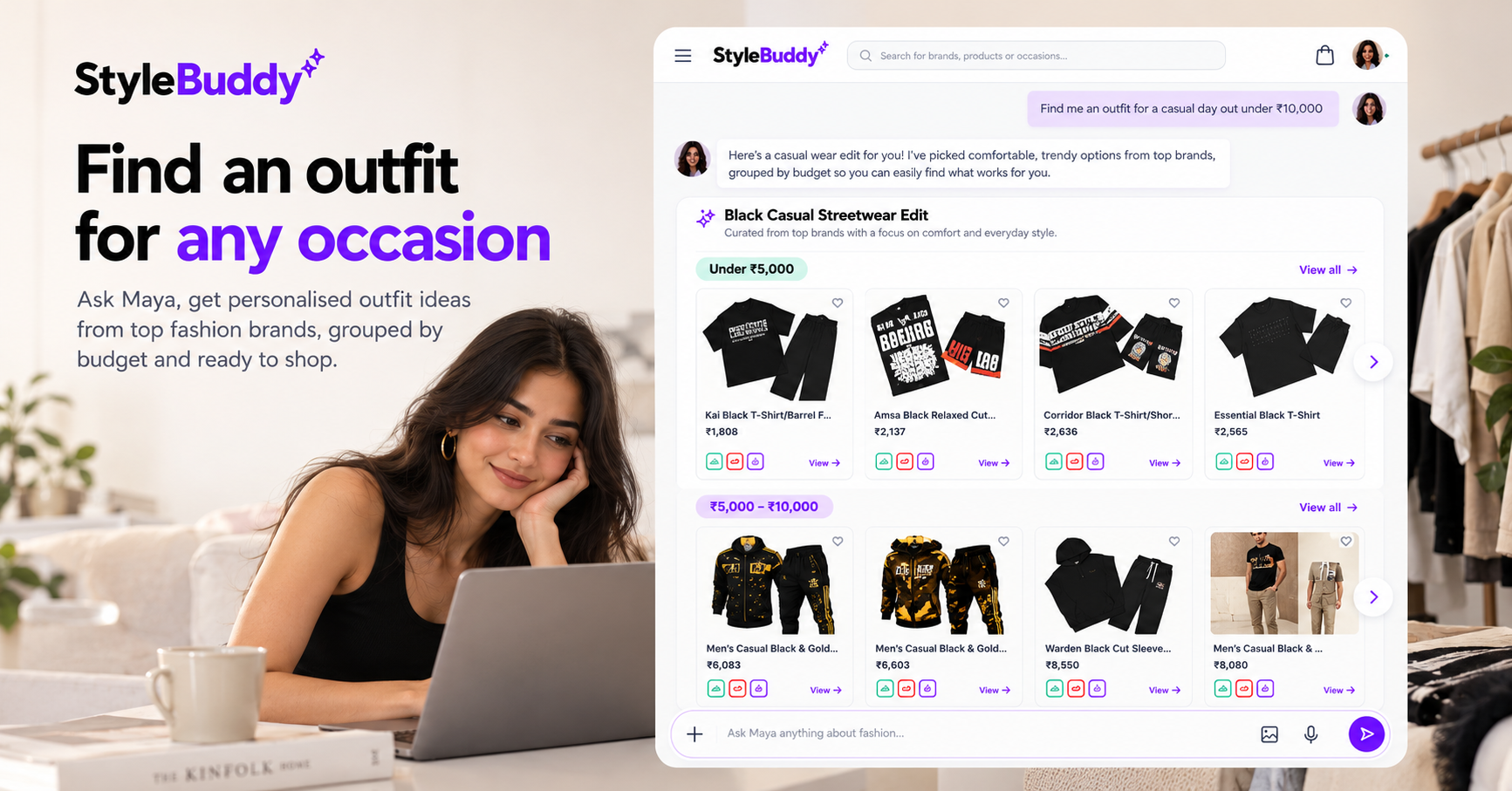
If your request is open-ended, Maya may ask a quick follow-up question first, such as your budget or the kind of event. Maya replies with a short styling note and a set of products, grouped by budget. In one test, she suggested a "Casual Wear Edit" with an "Under ₹5,000" row and a "₹5,000–₹10,000" row. Some pieces carry an Affordable or Best pick tag.
Step 4: React, save and open what you like
Each product card shows the name and price, with buttons to like it, dislike it or save it. Tap View to open the product. If you want more help, Maya also points you to StyleBuddy's NIFT-certified human stylists.
How Do I Browse Outfits by Occasion on StyleBuddy?
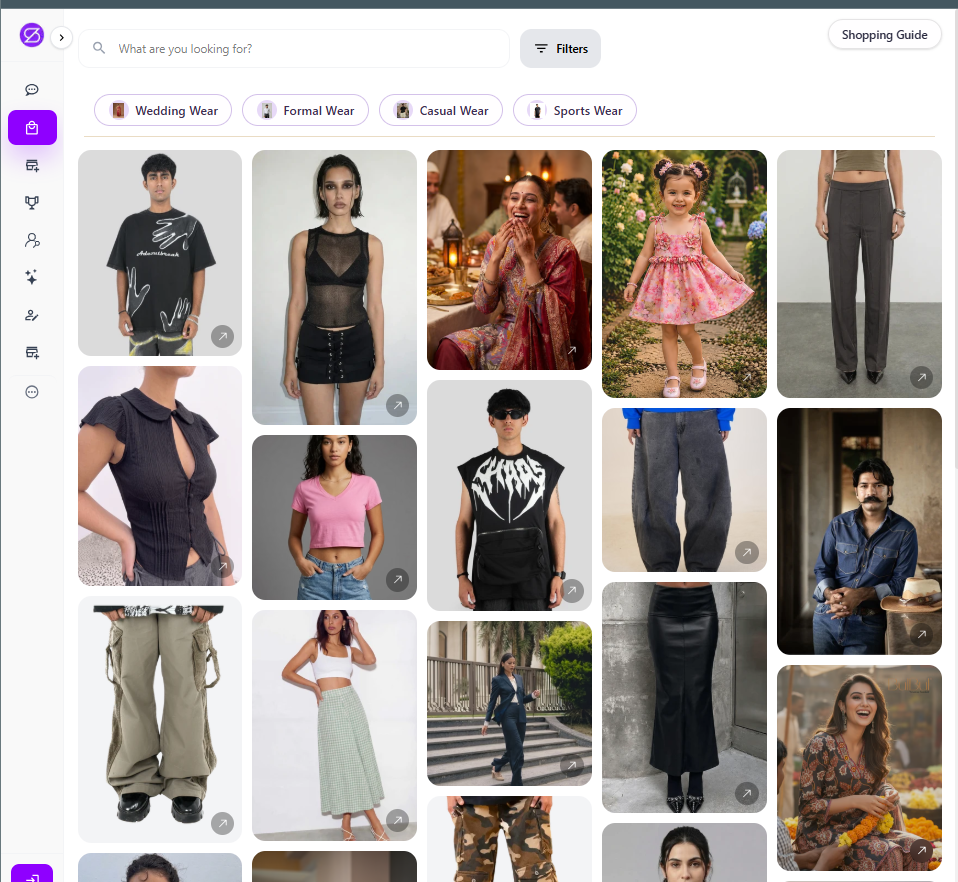
If you prefer to browse, use Shop All at stylebuddy.in/shop-all. It shows clothes from every brand on StyleBuddy in one feed.
Step 1: Pick an occasion
At the top of Shop All are quick occasion buttons: Wedding Wear, Formal Wear, Casual Wear and Sports Wear. Tap one to see only that kind of outfit. You can also type what you want in the search bar, such as "linen shirt" or "anarkali".
Step 2: Narrow it down with filters
Tap Filters to cut the list down to what fits you:
- Price: set a minimum and maximum, for example ₹0 to ₹5,000
- Gender
- Category
- Size
- Colour
- Brand
- Tags
Tap Apply Filters to see the results, or Clear to start again.
Step 3: Save the pieces you like
Save anything you are not ready to buy. It goes to Saved Items in the menu, so you can compare options before the event. For more ideas, Curated Styles and Shop by Brand are in the same menu.
Which way should I use?
- Use Maya when you are not sure what to wear and want ideas matched to your body type, skin tone and budget.
- Use Shop All when you already know what you want, such as "a black formal shirt in size M under ₹2,000".
How Do I Find Shoes and Accessories to Match My Outfit?
An outfit is not finished until the shoes and accessories are sorted. StyleBuddy lists footwear and accessories from several brands, and Maya can match them to what you have picked in two ways.
- Pick from Maya's suggestions. Tap the circle in the top-right corner of a product card to select it. Then ask, for example, "Suggest shoes for this dress" or "What earrings go with this kurta?" Maya answers about the pieces you selected.
- Upload a photo. Already own the outfit? Tap + in the chat bar, choose Upload photo, add a photo of it and ask Maya to suggest shoes or accessories. She looks at the photo and suggests pieces to go with it.
If you would rather browse, type "footwear" or a brand name into the Shop All search bar to see the brands available, or use the Category filter in Shop All to see footwear or accessories, then narrow by price and colour.
Where Do I Buy the Outfit I Find on StyleBuddy?
You buy it directly from the brand. StyleBuddy does not sell clothes itself; it brings many brands together in one place. Tap any product, whether in Maya's chat, Shop All or Shop by Brand, and StyleBuddy takes you to that brand's website. You choose your size and pay there, and the brand's own delivery and return policies apply.
Can I Try the Outfit On Before Buying?
Yes, in the StyleBuddy app. The app lets you choose looks and try them on yourself with virtual try-on, so you can see how an outfit looks on you before you go to the brand's site. The app is available on Android and iOS.
Frequently Asked Questions
How do I find an outfit for an occasion on StyleBuddy?
On StyleBuddy, you can find an outfit for any occasion in two ways. Tap "Find me an outfit" and tell Maya, the AI stylist, the occasion and your budget. Or open Shop All, tap Wedding, Formal, Casual or Sports Wear, and filter by price, size, colour and brand.
Can StyleBuddy suggest outfits based on my body type?
Yes, StyleBuddy's AI stylist Maya suggests outfits based on your style profile. Set your gender, age group, body type, skin tone, favourite outfits, accessories and colours under Style profile in the chat. Maya then uses those details to pick clothes and colours that suit you for each occasion.
Does StyleBuddy sell clothes directly?
No, StyleBuddy does not sell clothes itself. It brings products from many fashion brands together in one place. When you tap a product in Maya's chat, Shop All or Shop by Brand, StyleBuddy takes you to the brand's own website, where you choose your size, pay and get delivery.
Can StyleBuddy help me find shoes to match my outfit?
Yes, StyleBuddy's AI stylist Maya can suggest shoes and accessories to match an outfit. Select a product she suggested by tapping the circle on its card and ask, "Suggest shoes for this dress." Or upload a photo of an outfit you already own and ask her for matching footwear.
Can I filter StyleBuddy outfits by budget?
Yes, StyleBuddy's Shop All page has a price filter where you set a minimum and maximum, alongside gender, category, size, colour, brand and tag filters. Maya also groups her suggestions by budget, for example under ₹5,000 and ₹5,000 to ₹10,000, and you can mention your budget in the chat.
Find Your Next Outfit on StyleBuddy
Got an occasion coming up? Chat with Maya and tap "Find me an outfit", or browse Shop All by occasion. Want to try looks on yourself first? Get the StyleBuddy app.
Need a human eye for a big event? StyleBuddy's NIFT-certified stylists offer styling sessions, starting with a 45-minute trial.
Read next: Is There an App That Suggests Outfits Based on My Body Type and Occasion?